Home / EBT and SNAP card protection
For EBT and SNAP households
Keep your EBT benefits safe from skimmers.
Last updated: 2026-10-28
Many EBT cards don't have a chip, so they're easier for thieves to copy. A few simple habits, and a free app that checks the card reader for you, go a long way.
Completely free · No ads · No sign-in needed
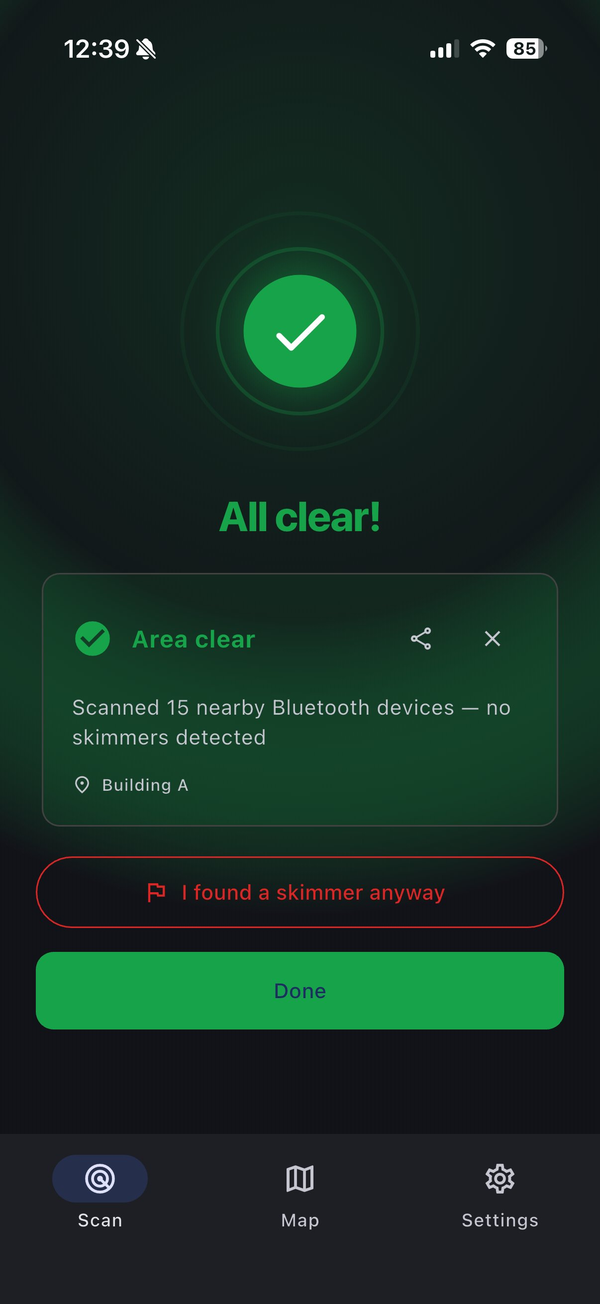
Real app screen
Most bank cards have a chip that is very hard to copy. Many EBT cards only have a magnetic stripe, which a skimmer can copy easily.
Benefits are usually spent soon after they load. When a card is drained, a family can be left short until next month.
Checkout card readers at grocery and other stores, and ATMs if you take out cash benefits.
Protect your card
Six simple habits.
- Lock your card between tripsIf your state's EBT app lets you, lock your card when you're not shopping and unlock it at the register.
- Look and tugCheck the card slot and keypad. If anything is loose, bulky or looks different from the rest of the machine, don't use it.
- Cover the keypadShield your hand when you type your PIN, in case a tiny camera is watching.
- Change your PIN oftenEspecially just before your benefits load each month, so an old stolen PIN won't work.
- Pick a staffed laneUse a lane with a cashier, or an ATM inside a store, when you can. They're harder to tamper with.
- Check before you payOpen the free SkimGuard app at the reader. It tells you if it picks up a skimmer nearby.
How the free app works
Hold your phone near the reader.
Many skimmers send stolen card data over a wireless signal. SkimGuard listens for that signal and shows you one of three results:
- 🔴 Alert: something suspicious was found. Don't use this reader, and tell a staff member.
- 🟢 Good: checked, and nothing suspicious found. A good sign, not a guarantee.
- ⚪ No data: not checked lately. Give the reader a careful look.
What it can't find
- Skimmers that don't send a signal, like some fake card slots. Keep looking and tugging too.
- An all-clear means nothing was found. It is not a guarantee.
If your benefits were stolen
Act quickly. You're not alone.
It isn't your fault. These devices are hidden well. Here's what to do right away:
- Call your state's EBT customer serviceThe number is on the back of your card.
- Change your PIN, and lock your card if your app allows itSo nothing more can be taken.
- Tell your local benefits office or caseworkerAsk them what to do next and whether any replacement is possible.
- Let the store knowSo they can check their other readers and help protect other families.
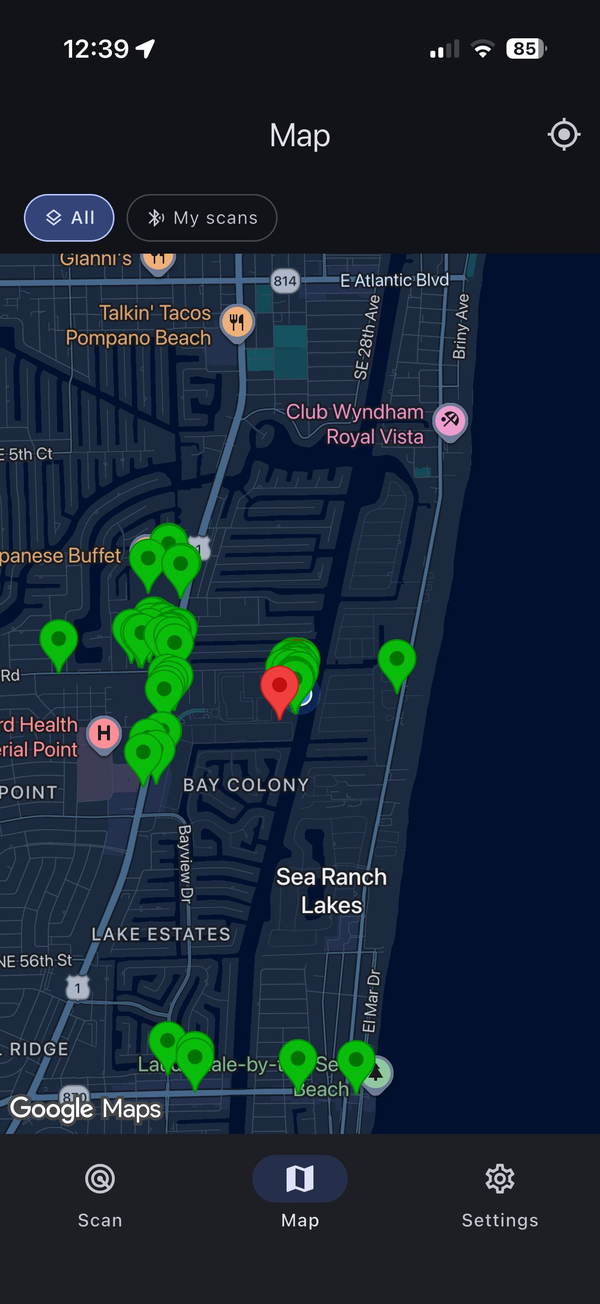
Find a safer place to shop
See stores that check their readers.
The free map at map.skimguard.io shows recent community checks. Stores that check their card readers with SkimGuard show a Protected pin.
Run a store that takes EBT?
Help your customers keep their benefits.
Your staff can check each reader with a guided daily inspection and wireless scan, using the Android phones and handhelds stores already have. No new equipment. Your store gets a Protected pin on the map. From $25/mo per location, and if it's not right for you, we'll refund your first month in full within 30 days.
Free protection for your benefits.
Check a checkout reader or ATM before you pay. Free on iPhone and Android. No ads, no sign-in needed.